
Your Black Diamond headlamp not turning on can ruin a night hike or leave you stranded in the dark during an emergency. This frustrating failure often stems from simple installation errors or minor maintenance oversights rather than permanent device damage.
You can restore power to your unit by following a logical troubleshooting sequence that addresses battery polarity, contact cleanliness, and firmware glitches. This guide provides specific steps to diagnose and fix the most common causes of power loss in Black Diamond models.
Verify Correct Battery Polarity Orientation

Incorrect battery placement is the leading cause of a Black Diamond headlamp not turning on. Even brand-new cells will fail to power the device if they do not match the specific alternating polarity design required by the housing.
Match Batteries to Internal Markings
Most Black Diamond models require an alternating pattern where one battery faces positive-up and the other faces negative-up.
* Open the battery compartment completely.
* Locate the + and – symbols molded directly into the plastic housing.
* Remove all batteries and reinsert them to match these diagrams exactly.
* Avoid the common mistake of aligning all positive ends in the same direction.
Pro Tip: If you see a spring contact on one side of the slot, it typically connects to the negative end of the battery. Always double-check this against the molded symbols before closing the lid.
Many users report immediate restoration of light after correcting this single alignment error.
Clean Corroded Battery Contacts
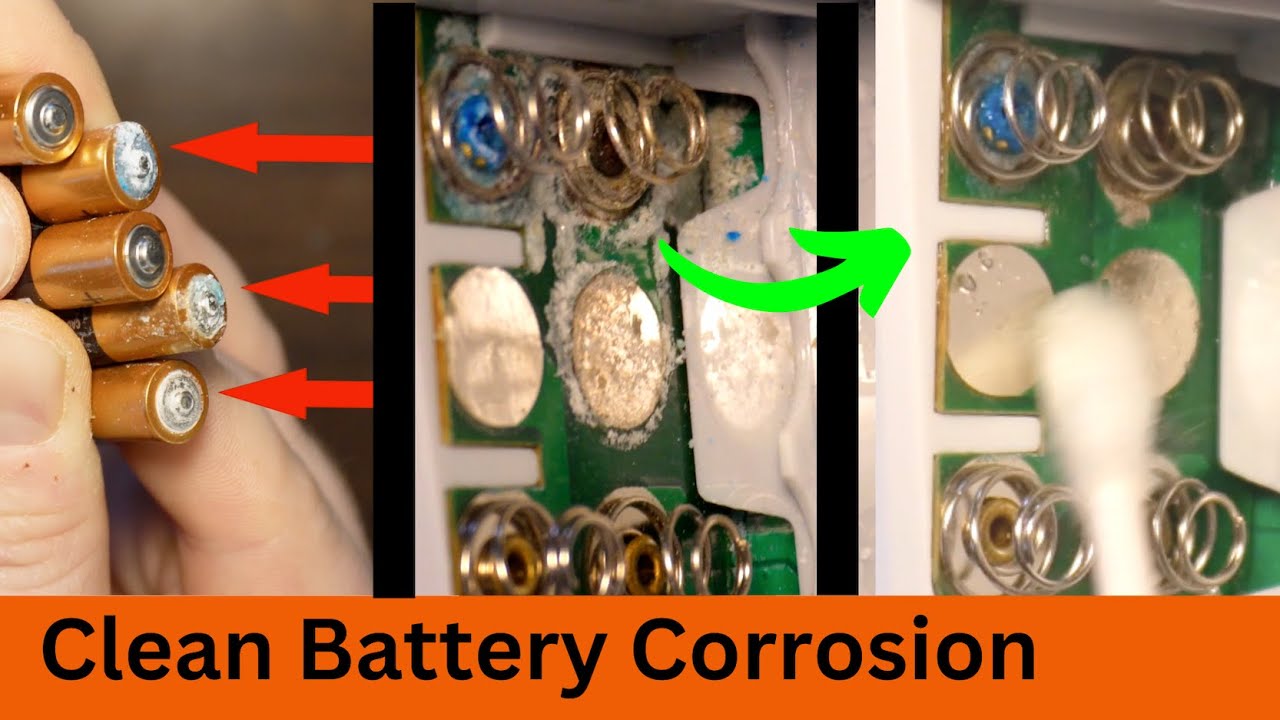
Dirt, oxidation, or greenish corrosion on metal terminals can block electricity flow even with perfect battery alignment. Regular cleaning ensures a strong connection between the cells and the headlamp circuitry.
Use Alcohol to Restore Connection
Follow these steps to clean the terminals safely and effectively:
1. Remove all batteries from the compartment immediately.
2. Inspect the metal contacts for grime, discoloration, or residue.
3. Dip a cotton swab in isopropyl (rubbing) alcohol.
4. Gently scrub both the headlamp terminals and the ends of the batteries.
5. Allow the compartment to dry completely before reinserting any power source.
Warning: Never use water for this task as it can worsen corrosion. Alcohol evaporates quickly and removes grease without leaving moisture behind.
Perform this cleaning every few months or after long storage periods to prevent future connectivity issues.
Test with Fresh Trusted Batteries

Even batteries labeled as “new” can be defective or depleted from poor storage conditions. Swapping to a known good set helps isolate the problem to the power source rather than the headlamp itself.
Swap Brands to Rule Out Failure
- Try a completely different set of AA batteries from a reputable brand like Duracell or Energizer.
- Avoid mixing old and new batteries or combining different chemistries like alkaline and lithium.
- If the light functions with the new set, your original batteries were the root cause.
Time-Saver: Carry spare batteries in a sealed plastic bag and test them monthly to ensure they hold a charge before you need them.
Some retail batches contain defective cells, so switching brands can be the difference between total darkness and a bright beam.
Perform a Hard Reset on Icon Models
Advanced models like the Black Diamond Icon utilize internal firmware that can lock up, causing sudden shutdowns despite having charged batteries. A hard reset clears these temporary logic errors.
Reset the Firmware in 30 Seconds
Execute this sequence to reboot the internal logic board:
1. Remove all batteries from the device.
2. Press and hold the power button for 30 seconds while the compartment is empty.
3. This action drains residual power from the capacitors.
4. Reinsert fresh batteries and attempt to power on the unit.
User Confirmed: This specific fix resolves firmware glitches that standard battery swaps cannot address.
If your Icon model flickered or died mid-use, this reset is a critical recovery step many owners overlook.
Check for Moisture Damage and Seal Integrity
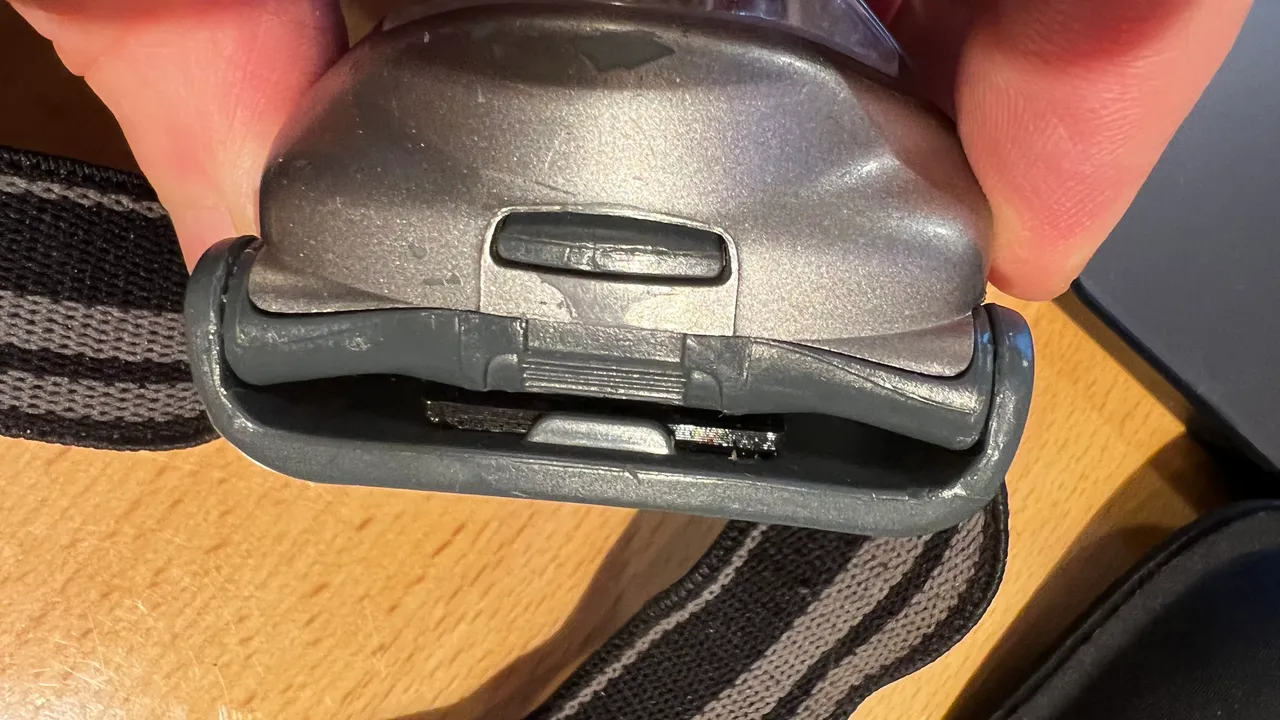
Exposure to rain, snow, or high humidity can short-circuit your headlamp internals. Moisture infiltration is a frequent culprit for units used in harsh weather conditions.
Dry It Out Completely
- Wipe down the exterior unit immediately if it gets wet.
- Open the battery compartment and let the device air-dry for several hours.
- Ensure all rubber seals are intact, clean, and seated properly before closing.
Cold Weather Alert: On peaks like Mount Washington, moisture condenses inside the housing due to temperature shifts. Keep spare batteries warm in an inner pocket to maintain performance.
A flickering light followed by a total cutoff often indicates moisture presence. Allow the unit to dry fully before attempting to use it again.
Inspect the Switch Mechanism Function
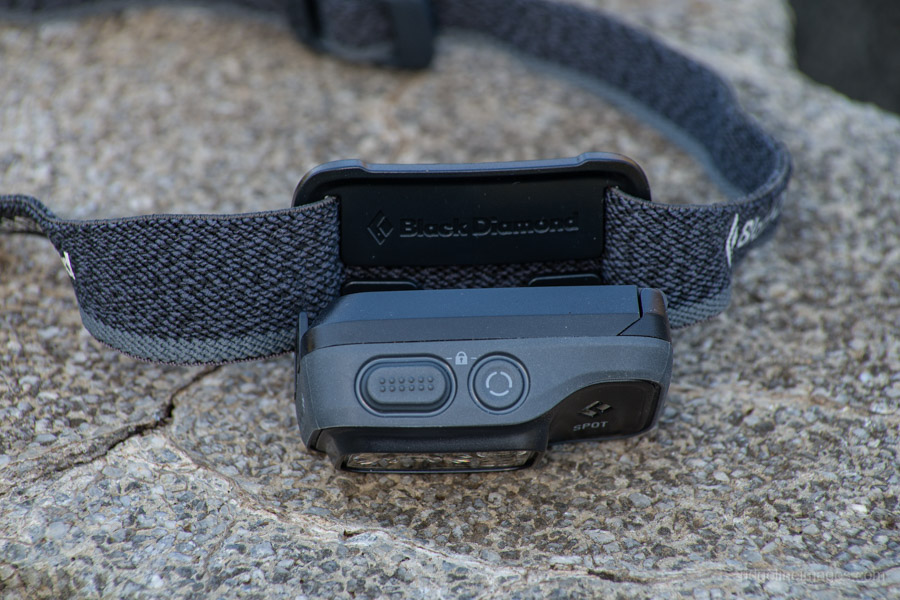
Although less common than battery issues, internal switch failure can prevent activation entirely. Physical inspection helps determine if the problem lies in the button itself.
Feel for the Proper Click
- Press the power button firmly and listen for feedback.
- A working switch provides a crisp, audible click upon actuation.
- If the button feels mushy, loose, or fails to click, the mechanism may be physically damaged.
Note: If the switch clicks but the light remains off after fixing batteries and contacts, the issue may involve a failed LED driver. This is more common in smart headlamps like the Icon.
Contact Black Diamond support for repair options if you confirm switch failure through this tactile test.
Prevent Future Power Failures
Proactive maintenance significantly reduces the risk of your Black Diamond headlamp not turning on during critical moments. Proper storage and care extend the life of your gear.
Store and Maintain Properly
- Never store batteries inside the headlamp as they can leak and corrode contacts over time.
- Keep the unit in a cool, dry place away from direct sunlight.
- Check rubber seals before every trip and replace them if they appear cracked or stiff.
- Always use batteries as a matched set without mixing ages or brands.
Pro Tip: On multi-day hikes, carry a backup headlamp or spare AA pack. The Icon offers great brightness, but its battery management can be unreliable in extreme conditions.
Consistent care ensures your device remains ready for action whenever you need it.
When to Consider a Replacement
Despite your best troubleshooting efforts, some units may fail permanently due to internal component degradation. Recognizing when to upgrade saves time and ensures safety.
Know the Reliability Trade-Off
- The Icon delivers high lumens but has documented power management flaws in cold or wet environments.
- Users on long expeditions often switch to simpler, more durable models for critical reliability.
- If your headlamp fails repeatedly after following all fixes, it may be time to upgrade.
Alternative: Consider newer Black Diamond models with improved sealing or basic LED headlamps from brands known for reliability in wet and cold environments.
Frequently Asked Questions About Black Diamond Headlamp Power Issues
Why won’t my Black Diamond headlamp turn on with new batteries?
The most likely cause is incorrect battery polarity. Black Diamond housings often require an alternating pattern where one battery faces up and the other faces down. Check the molded symbols inside the compartment to ensure exact alignment.
How do I reset my Black Diamond Icon headlamp?
Remove all batteries from the unit. With the compartment empty, press and hold the power button for 30 seconds to drain residual charge. Reinsert fresh batteries and try turning it on again.
Can moisture cause my headlamp to stop working?
Yes, moisture infiltration can short-circuit the electronics. If your unit was exposed to rain or snow, dry it thoroughly and inspect the rubber seals. Allow it to air out completely before testing power again.
What should I do if the switch feels mushy?
A mushy switch indicates potential mechanical failure. If the button does not produce a distinct click, the internal mechanism may be broken. You should contact Black Diamond support for repair or replacement options.
How often should I clean the battery contacts?
You should clean the contacts every few months or after any period of storage. Use a cotton swab with isopropyl alcohol to remove oxidation and ensure a strong electrical connection.
Key Takeaways for Fixing Your Black Diamond Headlamp
Restoring power to a Black Diamond headlamp not turning on usually requires checking battery orientation, cleaning contacts, and performing a hard reset on smart models. Most failures result from user-installation errors or environmental factors rather than permanent defects.
Always verify the alternating polarity pattern and keep your contacts clean to prevent future outages. Carry spare batteries and perform regular maintenance checks before every adventure to ensure your light stays on when you need it most.