
You are fumbling in the dark with a headlamp that refuses to work. Knowing exactly how to turn on a Black Diamond headlamp saves you from frustration during night hikes or power outages.
This guide explains the specific button presses, lockout tricks, and battery checks for Spot, Storm, and Revolt models. You will learn to fix unresponsive lights and get back to your adventure immediately.
Activate Your Black Diamond Headlamp Correctly
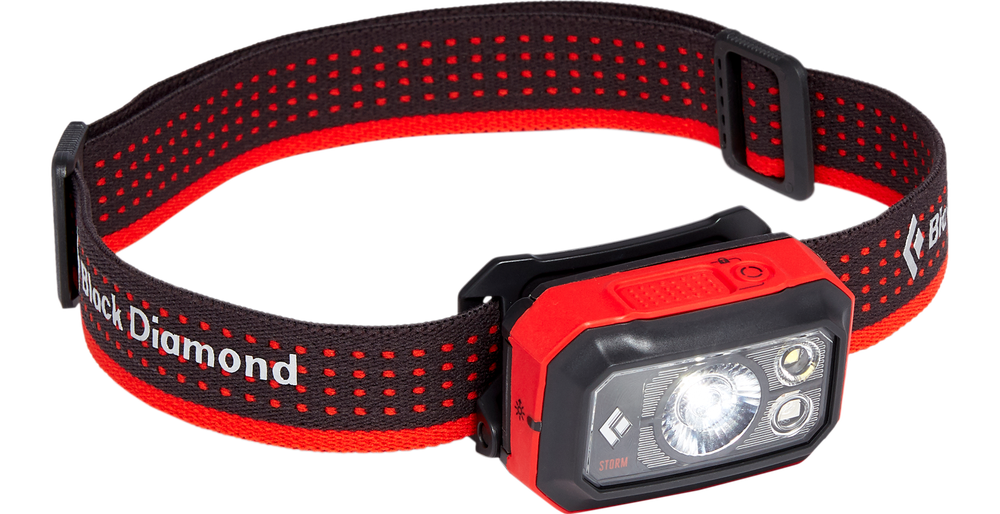
Black Diamond designs its lights for simple operation, yet the method varies slightly by model. The core rule is consistent: a quick press activates the light, while holding the button often changes settings.
Perform the Correct Button Press
Locate the main power button on the top or front of the unit. Tap it once quickly to activate the light. Do not hold the button down initially, as this triggers mode cycling or lock features instead of powering on.
- Moji and Sprint models: One tap turns the light on or off.
- Storm and Icon series: One tap activates power; holding adjusts brightness.
- Revolt rechargeable units: A single tap initiates the beam.
If the light does not respond to a quick tap, the unit is likely in lockout mode or has dead batteries.
Bypass the Lockout Safety Feature
Many modern Black Diamond headlamps include a lockout mode to prevent accidental activation in your backpack. If a quick tap yields no result, the device is probably locked.
- Press and hold the power button for 2 to 3 seconds.
- Watch for a brief flash or a red LED indicator on specific models.
- Release the button and tap once normally to turn it on.
Repeat this holding process to re-engage the lock after your activity. This feature is standard on the Revolt and newer Storm 400 models to save battery life.
Pro Tip: Always unlock your device before packing it away if you plan to use it immediately upon arrival. A locked light appears broken until you know the trick.
Verify Battery Installation and Power Levels
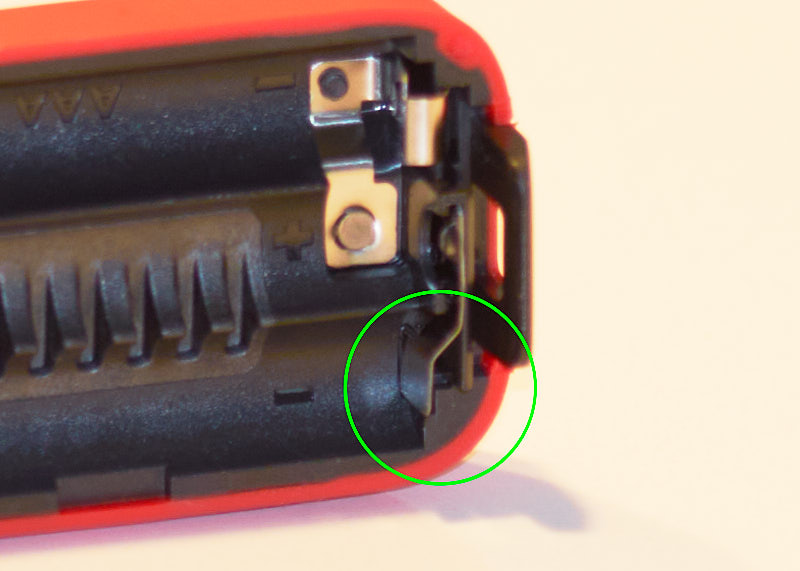
Even with perfect technique, your light will not work without adequate power. Battery issues remain the most frequent cause of failure in the field.
Install Batteries with Proper Polarity
Battery-powered models like the Spot and Storm require precise installation. Follow these steps to ensure a good connection.
- Open the battery compartment located at the rear of the head.
- Align the positive (+) and negative (-) ends exactly as marked inside the slot.
- Insert fresh alkaline or lithium cells matching your model requirements.
- Screw the compartment cap back on tightly.
⚠️ Warning: Damaged or expired batteries can leak acid and permanently damage your headlamp internals.
Some units support rechargeable AA cells or specific USB adapters. Ensure any adapter is fully charged before relying on it for illumination.
Charge Rechargeable Units Fully
Owners of the Revolt or Storm Rechargeable must connect the device to a USB source using the provided cable. A red LED signifies charging, while green indicates a full charge.
- Wait 5 to 10 minutes after plugging in before attempting to power on.
- Allow the battery to reach a full charge before your first outing.
Note: A completely depleted rechargeable battery may not show an indicator light immediately upon connection.
Troubleshoot an Unresponsive Headlamp
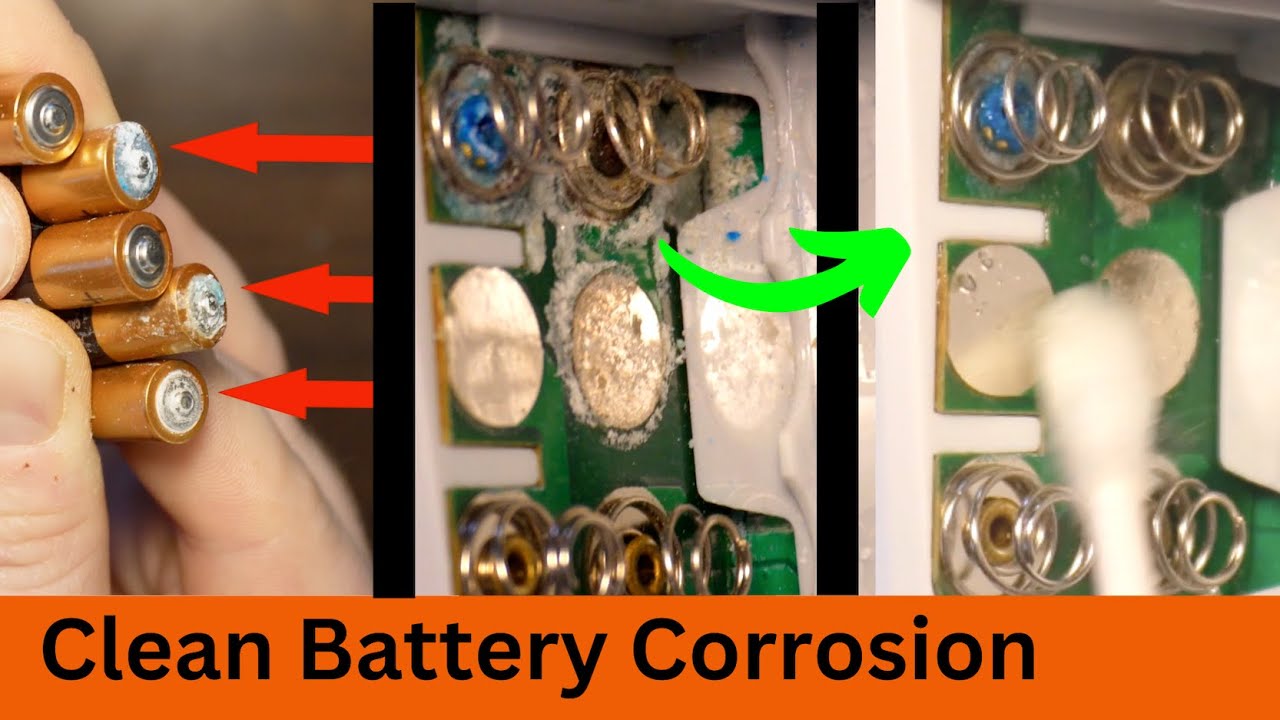
If pressing the button and checking batteries yields no light, proceed with these diagnostic steps to identify the blockage.
Clean Corroded Battery Contacts
Dirt or corrosion on metal contacts interrupts the electrical flow. You can often fix a “dead” light with a simple cleaning.
- Remove all batteries from the compartment.
- Dip a cotton swab in rubbing alcohol.
- Gently scrub the spring and metal contact points inside the unit.
- Allow the area to dry completely before reinserting power sources.
This process resolves many issues caused by long-term storage or exposure to sweat.
Reset the Internal Electronics
Software glitches can freeze the system, especially in rechargeable models. A hard reset clears temporary errors in the circuitry.
- Remove batteries or disconnect the USB cable.
- Wait for 30 seconds to let the system discharge.
- Reconnect the power source.
- Attempt to turn on the headlamp with a single tap.
Test with Known-Good Batteries
New batteries can sometimes be defective or weak from sitting on a shelf. Swap your current cells with a fresh set from a different package to rule out power failure. Avoid mixing old and new batteries or combining different chemistries like alkaline and lithium.
Master Light Modes and Settings
Once your headlamp is active, learning to control brightness and color prevents accidental shutdowns and preserves night vision.
Cycle Through Brightness Levels
After activating the light, tap the button repeatedly to shift between modes. Most models follow a Low to Medium to High sequence, often ending with a Strobe function.
- Tap continuously to reach your desired brightness.
- Hold the button on select models like the Storm to dim the light gradually.
Switch to Red Light Mode
Red light preserves your night vision and reduces glare for others. Activating it requires a specific press pattern.
- Ensure the headlamp is currently on.
- Press and hold the button for 2 seconds.
- Release immediately when the red LEDs illuminate.
Tap the button to adjust red brightness or activate red strobe. Repeat the hold action to return to white light.
Pro Tip: Use red light when reading maps or navigating camp to avoid blinding yourself or your hiking partners.
Prevent Future Power Failures
Adopting simple maintenance habits ensures your gear works when you need it most.
Remove Batteries During Storage
For non-rechargeable units, remove batteries if you will not use the light for several weeks. This prevents leakage that corrodes internal components and ruins the device.
Store in Cool and Dry Conditions
Moisture and extreme heat degrade battery life and harm electronics. Keep your headlamp in a sealed bag with a silica packet when not in use.
Maintain Rechargeable Battery Health
Rechargeable batteries lose charge over time even when idle. Recharge your unit every 3 to 4 weeks to maintain cell health and ensure readiness for your next trip.
Model-Specific Operation Tips

While the general operation is similar, specific Black Diamond models have unique traits you should know.
Black Diamond Spot
- Uses a single button for on/off and mode cycling.
- Older versions lack lockout; newer ones may include it.
- Requires 3 AAA batteries for operation.
If this model fails to light up, check for loose AAA cells or dirty contacts first.
Black Diamond Storm
- Features dual-fuel capability for AA batteries or USB modules.
- Includes lockout: hold the button for 2 seconds to unlock.
- Activates side red light by holding the main button.
Double-check battery orientation in the Storm, as it is easy to insert cells backward by mistake.
Black Diamond Revolt
- Operates exclusively via USB rechargeable battery.
- Ships with lockout enabled by default.
- Requires a 2-second hold to unlock before the first tap.
If the charging light does not appear, try a different USB cable or wall port immediately.
Frequently Asked Questions About Turning On Black Diamond Headlamps
Why won’t my Black Diamond headlamp turn on even with new batteries?
Your headlamp is likely in lockout mode to prevent accidental activation. Press and hold the power button for 2 to 3 seconds to unlock it, then tap once to turn it on.
How do I know if my Black Diamond headlamp is charging?
A red LED indicator light appears while the unit charges. The light turns green when the battery reaches full capacity. If no light appears, check your cable connection.
Can I use rechargeable AA batteries in my Black Diamond Spot?
Yes, most battery-powered Black Diamond models accept rechargeable AA or AAA cells. Ensure they match the voltage requirements listed in your specific model manual.
What does it mean if my headlamp flashes red?
A flashing red light often indicates low battery power or a lockout status. Replace your batteries or recharge the unit, and ensure you have unlocked the device properly.
How do I switch back to white light from red mode?
Press and hold the main power button for about 2 seconds while the red light is active. The headlamp will switch back to the last used white light setting.
Key Takeaways for Turning On Your Black Diamond Headlamp

Mastering how to turn on a Black Diamond headlamp involves more than just pressing a button. You must recognize lockout modes, ensure proper battery installation, and understand model-specific quirks to guarantee reliable performance.
Remember to clean contacts regularly and store batteries properly to extend the life of your gear. Test your headlamp before every trip to ensure you are never left in the dark.